

Monthly
$16.99per month · cancel anytime
- Every feature in the app
- Works with the watch you already wear
Sleep better, stress less and know what to do each day. Try every feature free for 3 days.

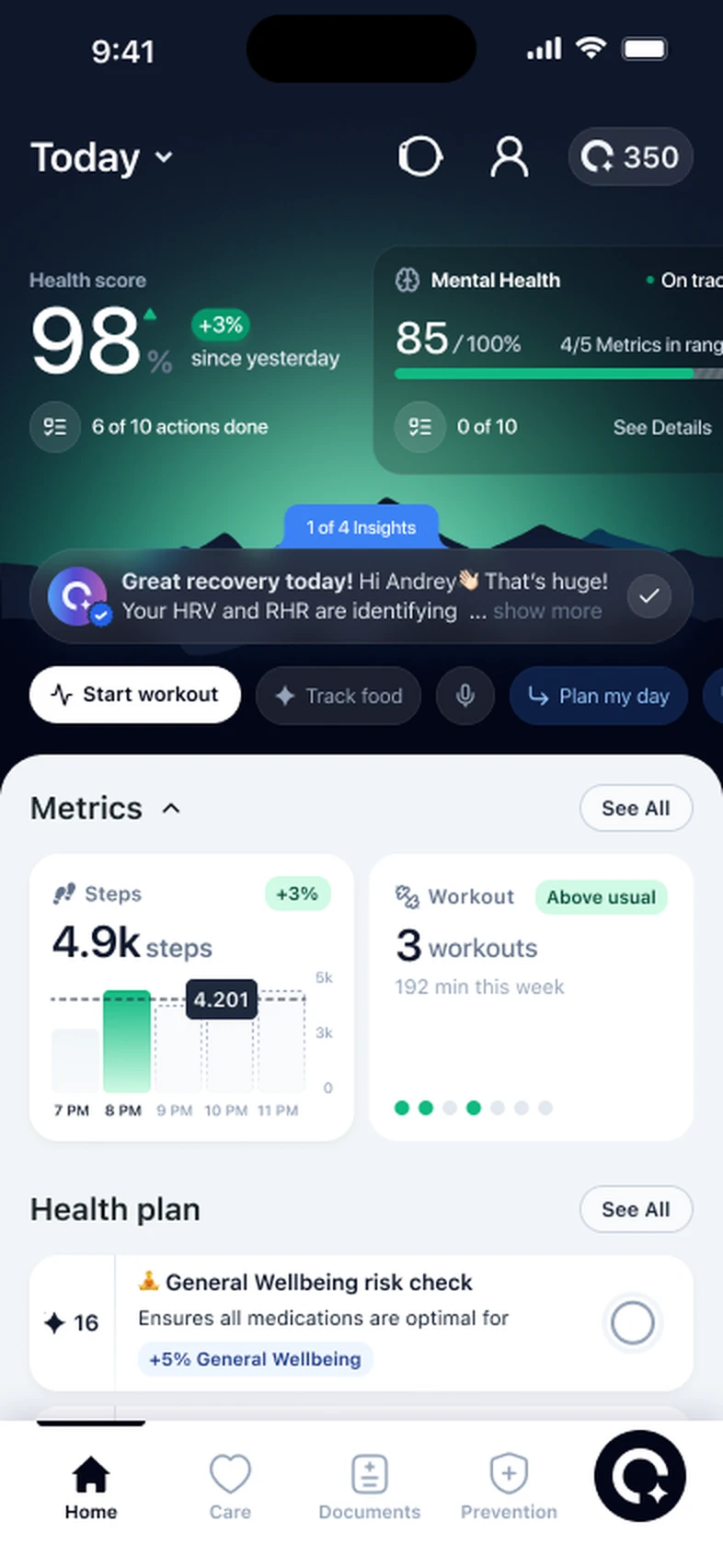
Your health score, sleep, recovery and today’s plan together, with a short note on what changed overnight.
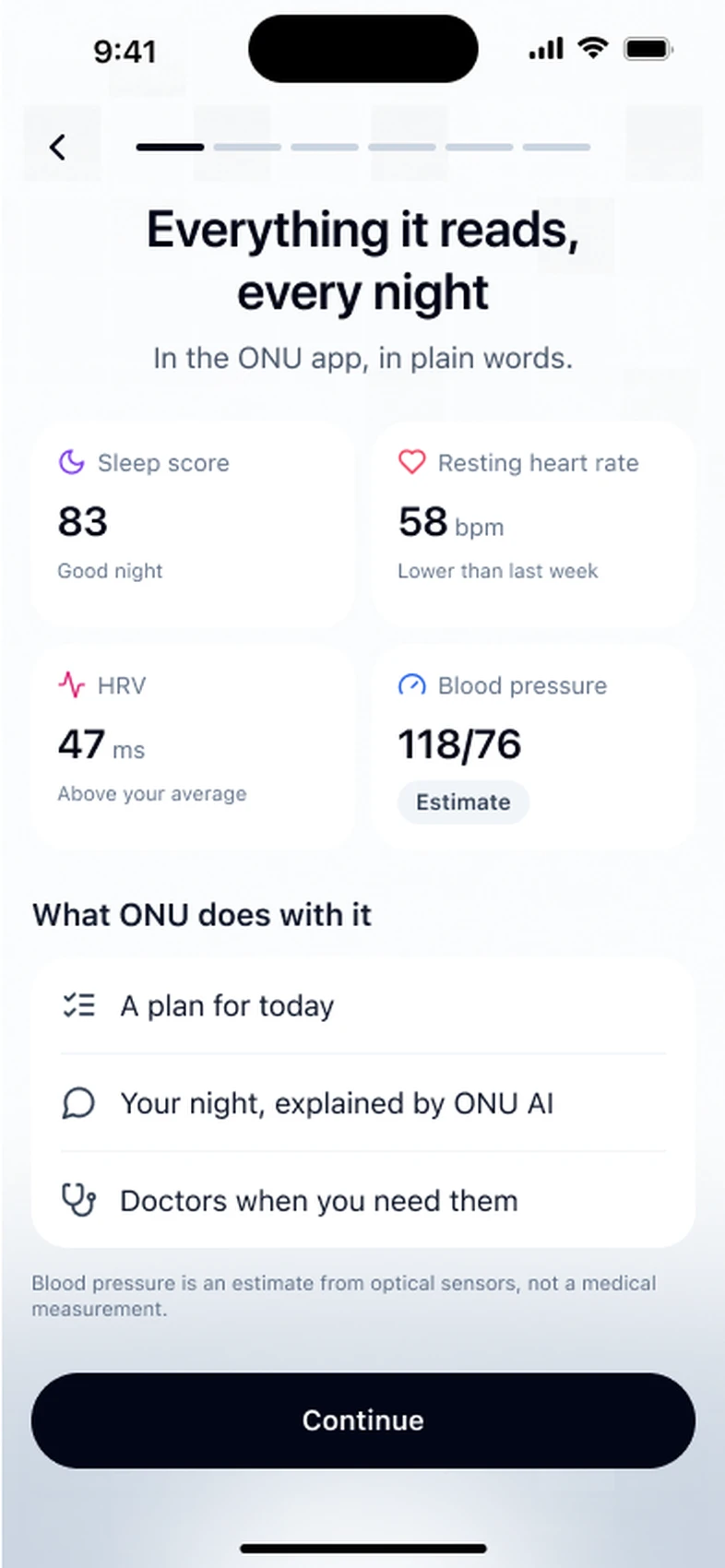
Your sleep score, resting heart rate and HRV each morning, in plain words, with one thing to try tonight.
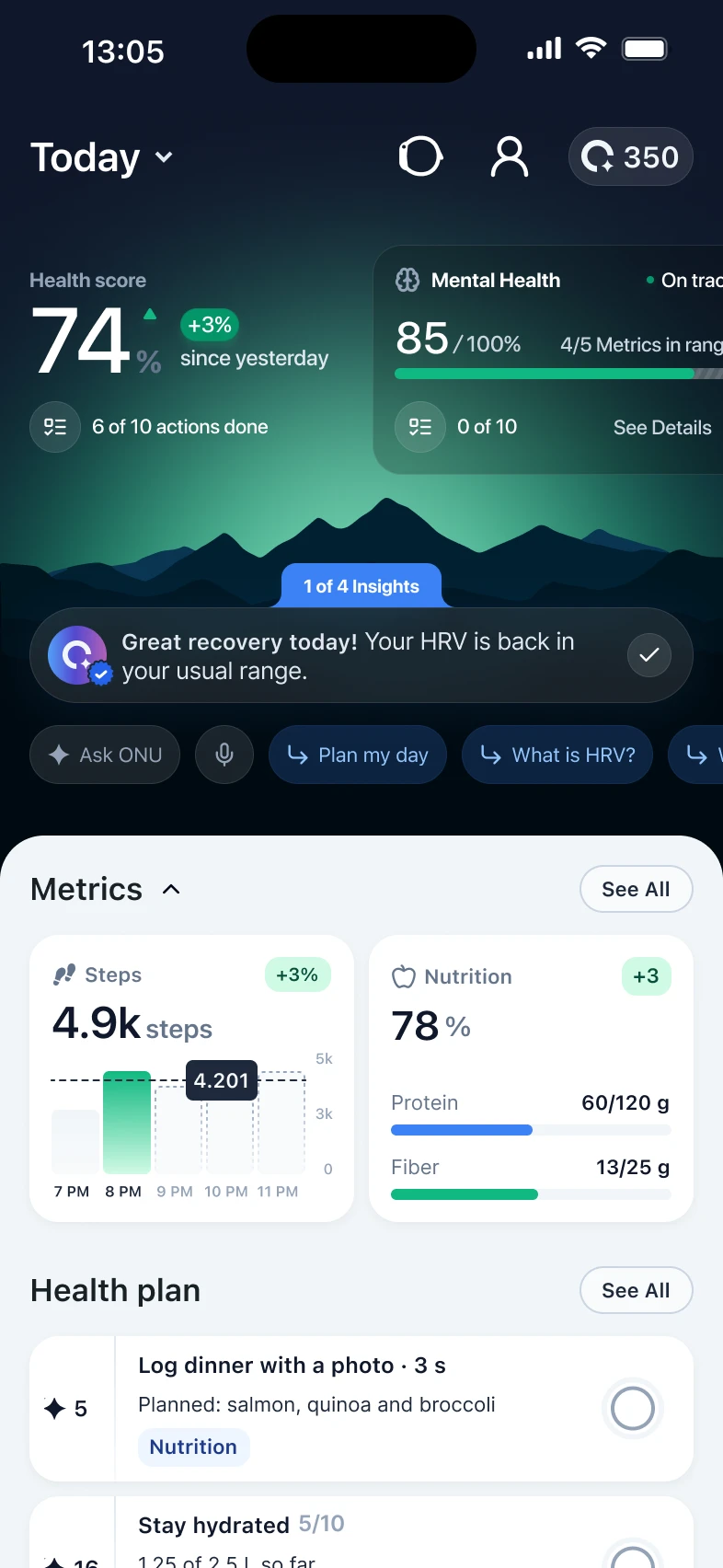
Log a meal with a photo and see your protein and fibre for the day, with nutrition tasks in your plan.
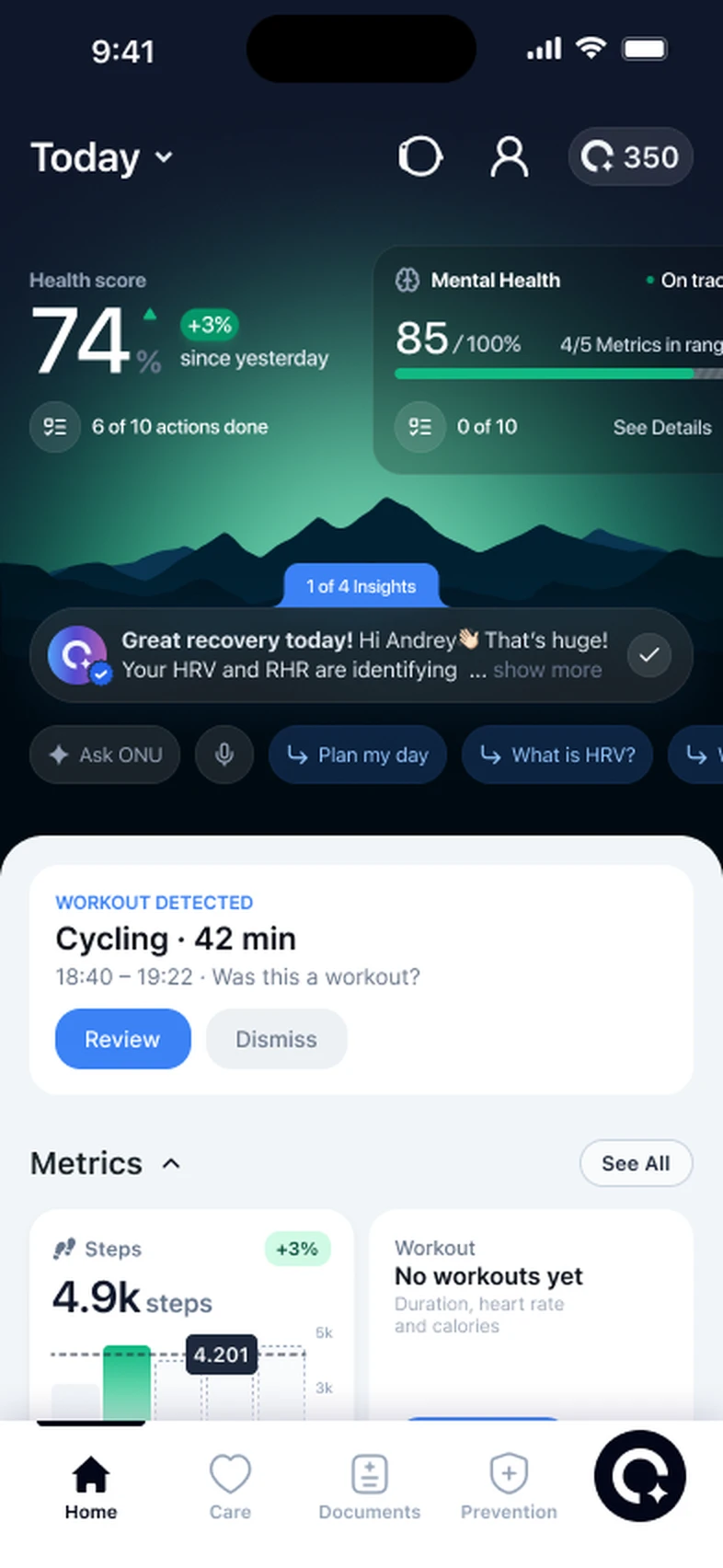
ONU notices a workout from your heart rate and movement and asks you to confirm it, so your training adds up without logging.
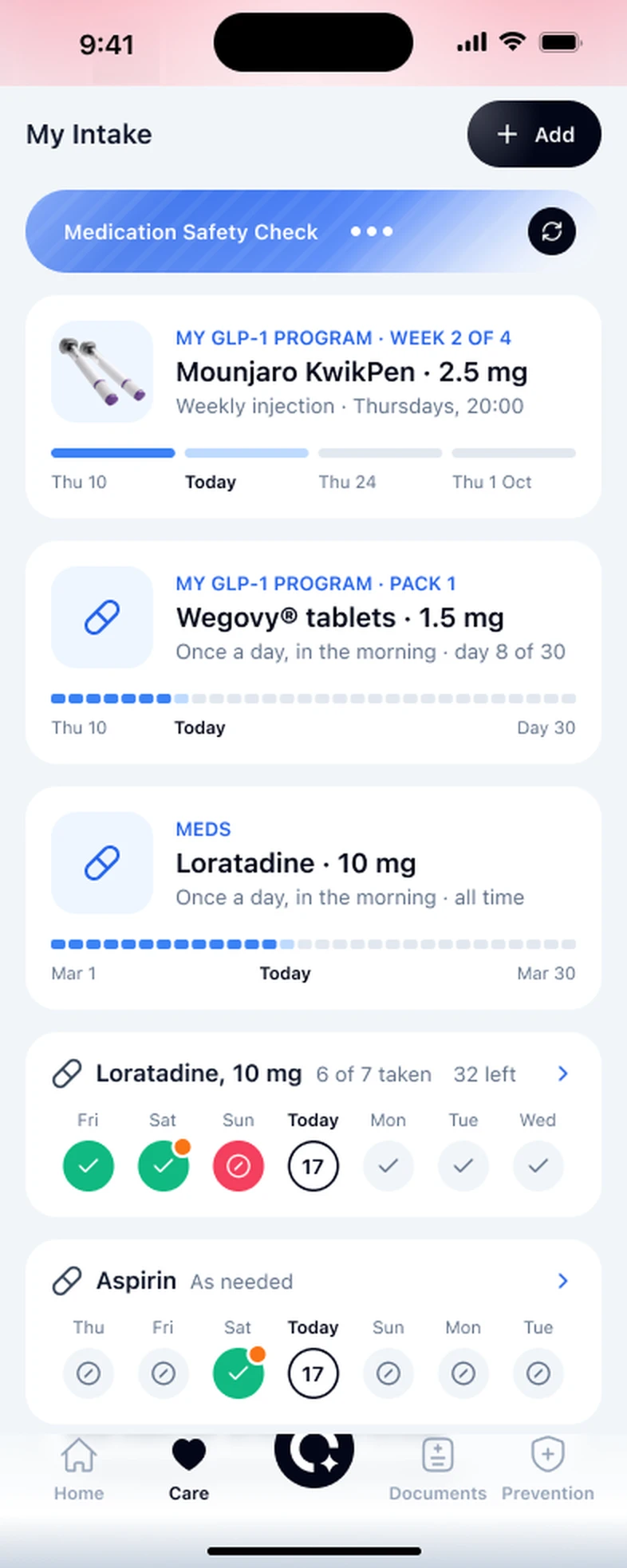
Log each injection or tablet and see where you are in your program, week by week. Your doctor prescribes it; ONU keeps track.
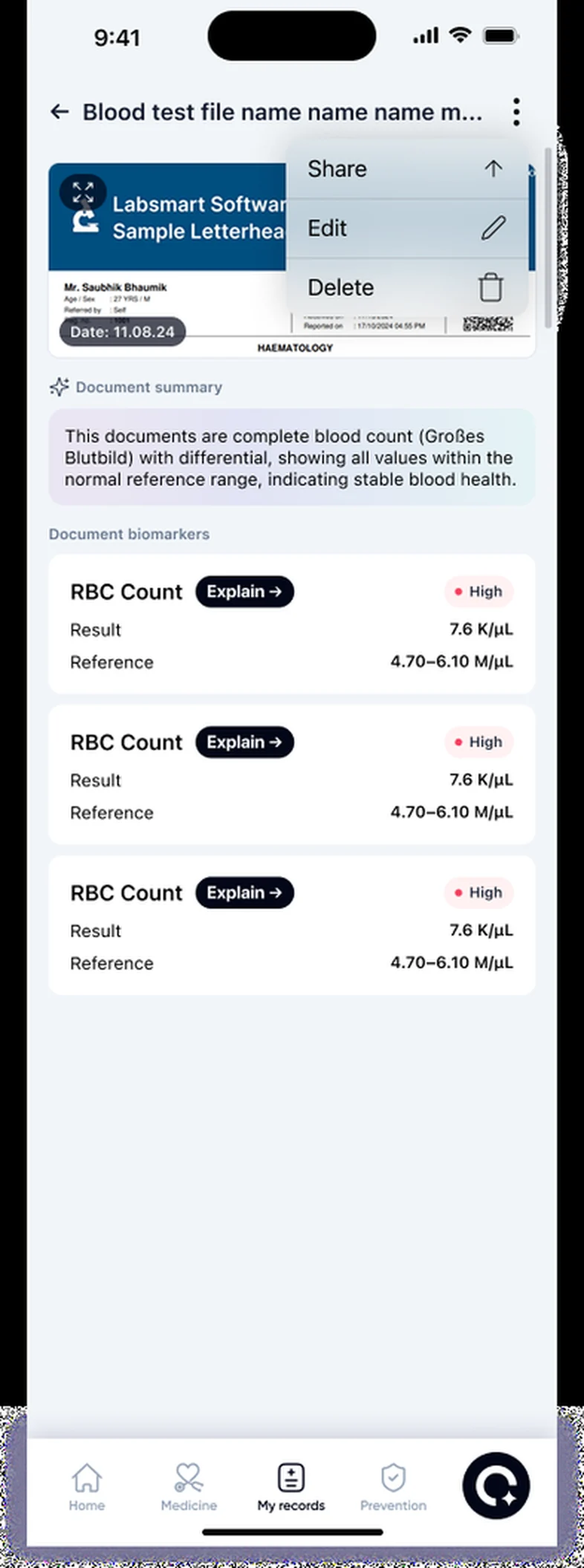
Upload a lab report and each marker is explained in plain words, with every change over time in one place.
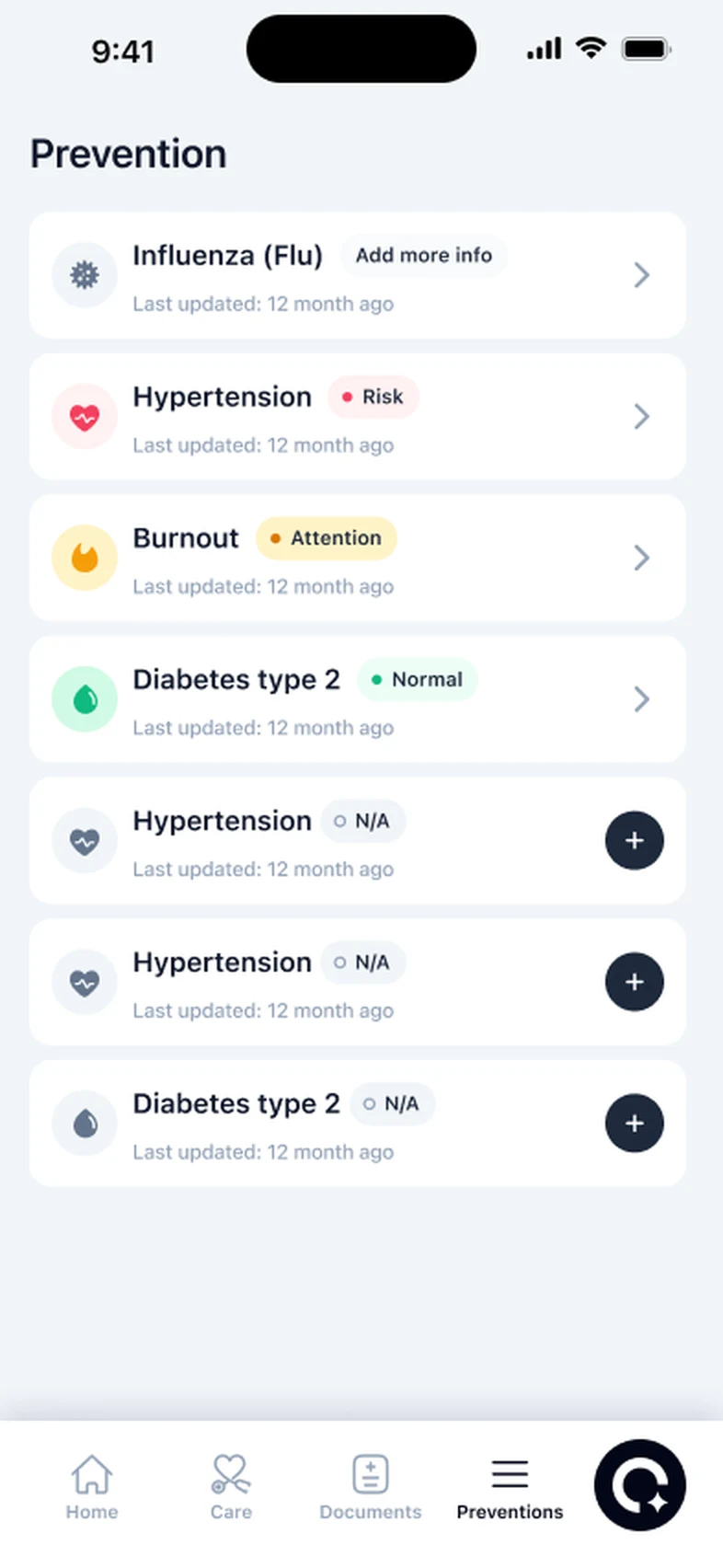
Choose conditions like high blood pressure or type 2 diabetes and see each one marked normal, attention or risk.
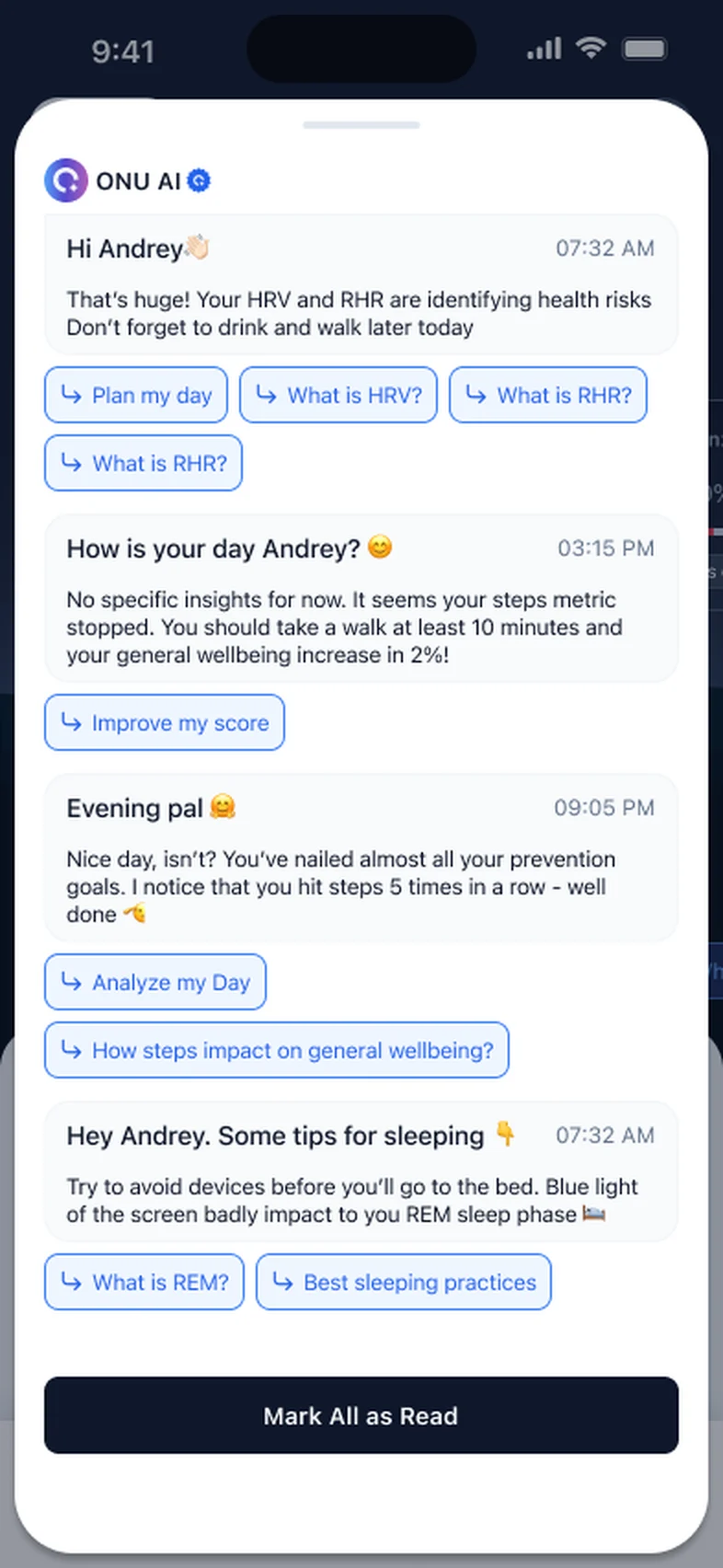
ONU AI answers in plain words, using your own sleep, heart and lab numbers. No googling.
ONU Pro includes a call with a doctor who goes through your results with you.
Medicines, water, steps and activity in one daily list, linked to the conditions they help.
Every task you finish raises your ONU Score and earns points toward ONU rewards.
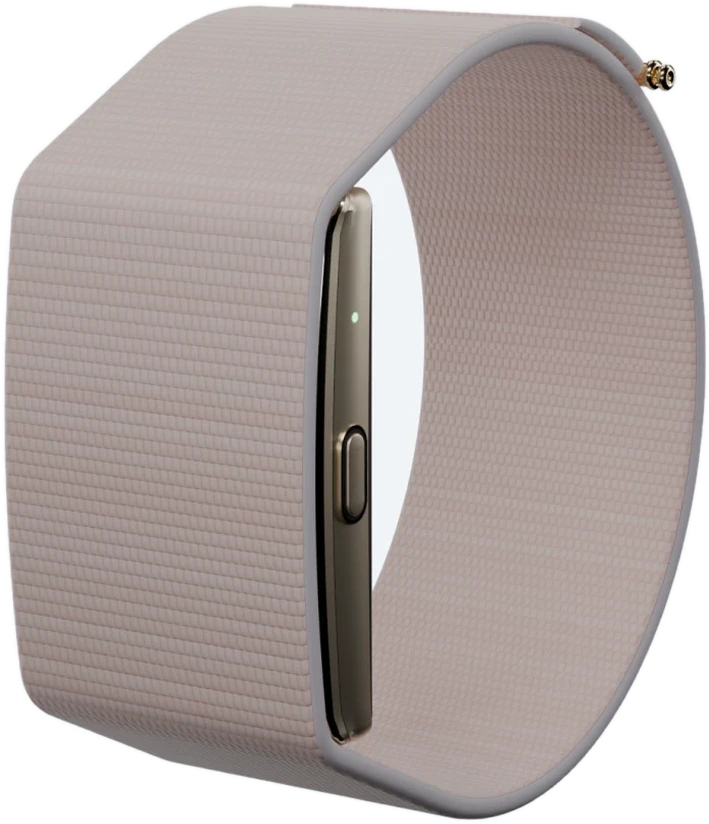
The ONU Band records heart rate, HRV, sleep, stress and steps. Already wear Apple Watch, Garmin or WHOOP? Connect it instead.
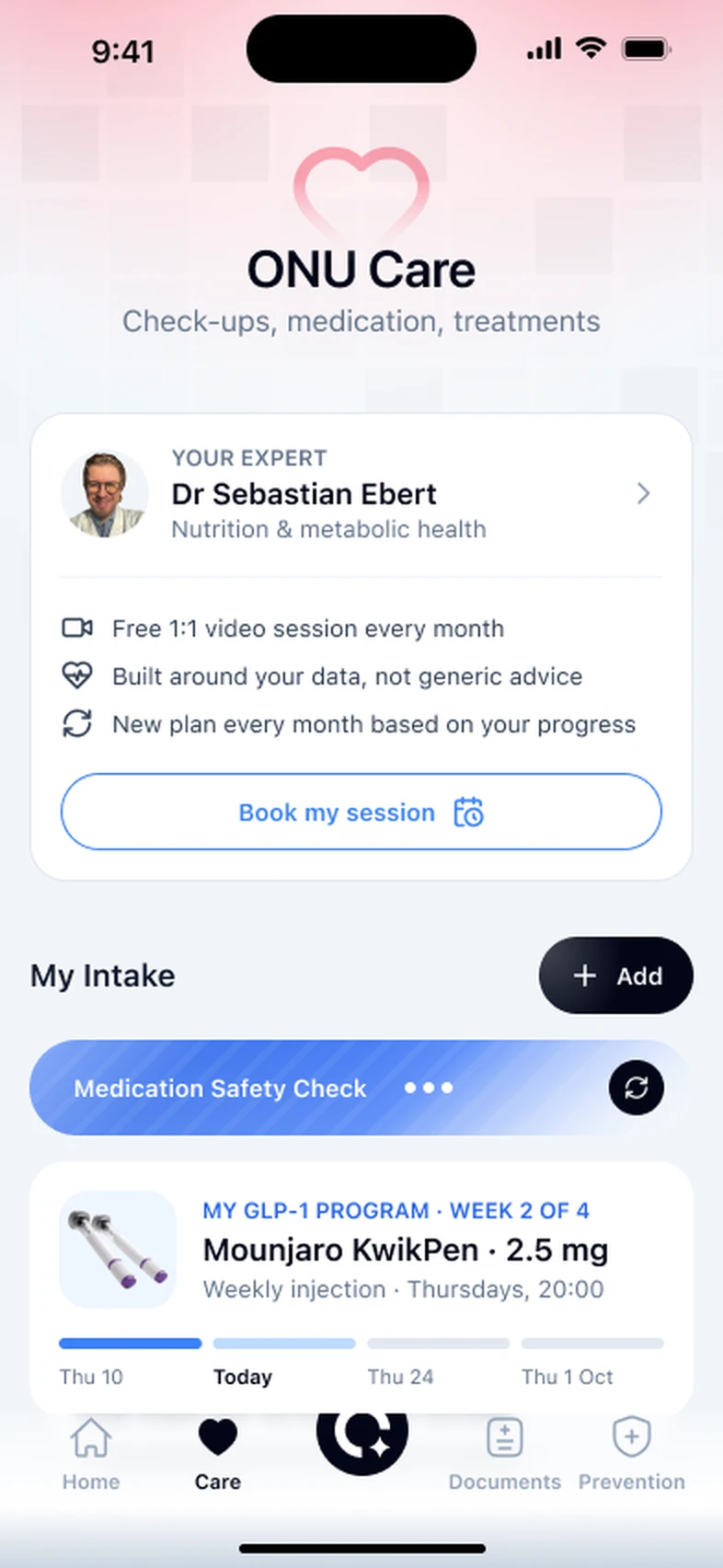
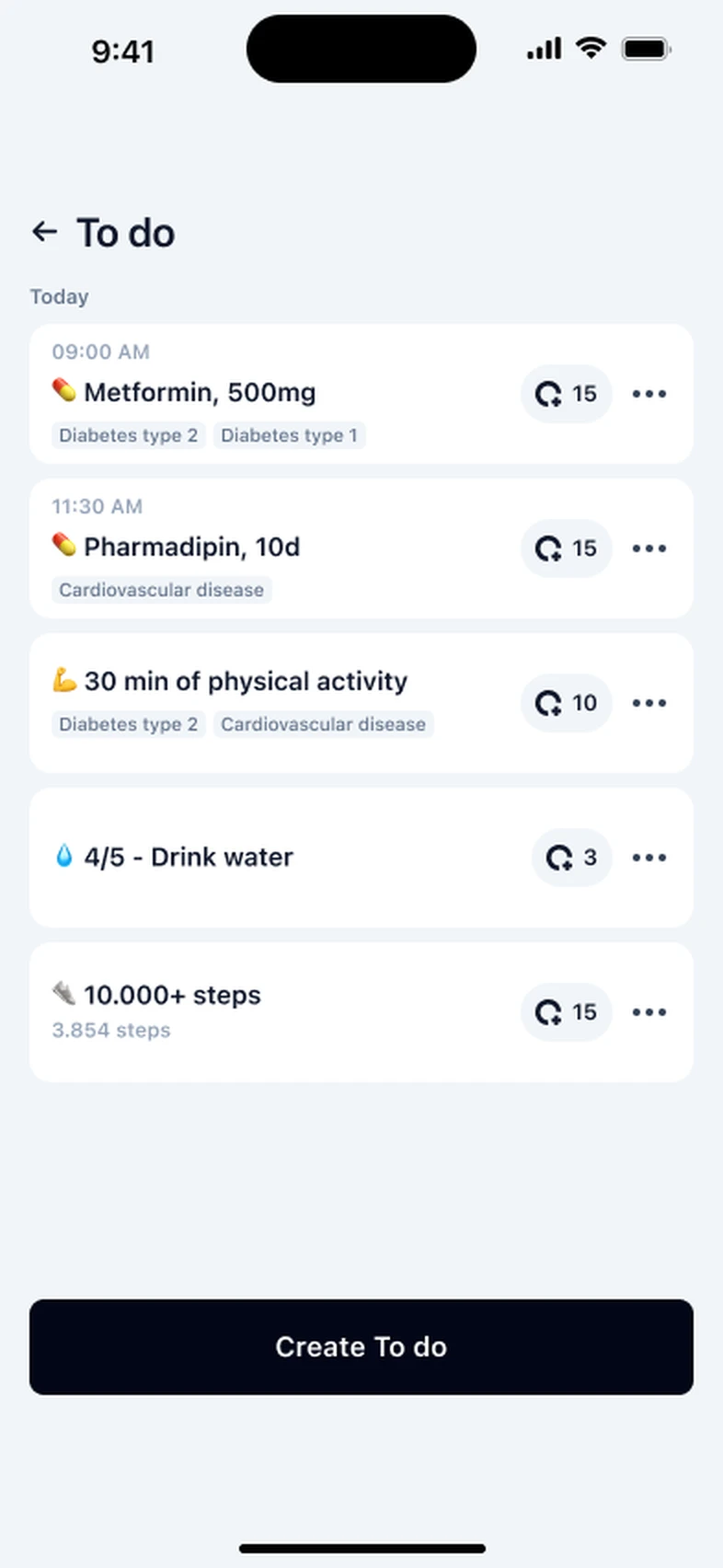
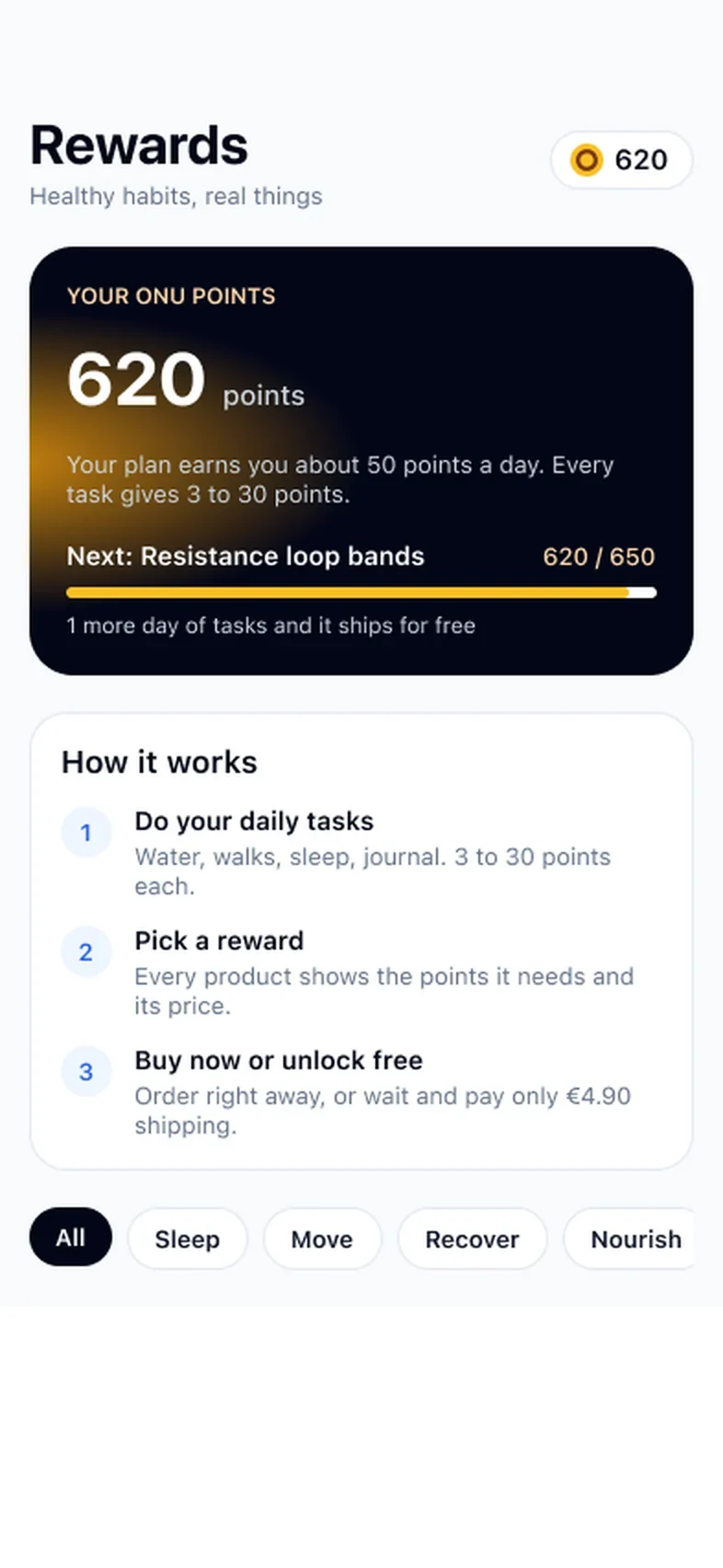
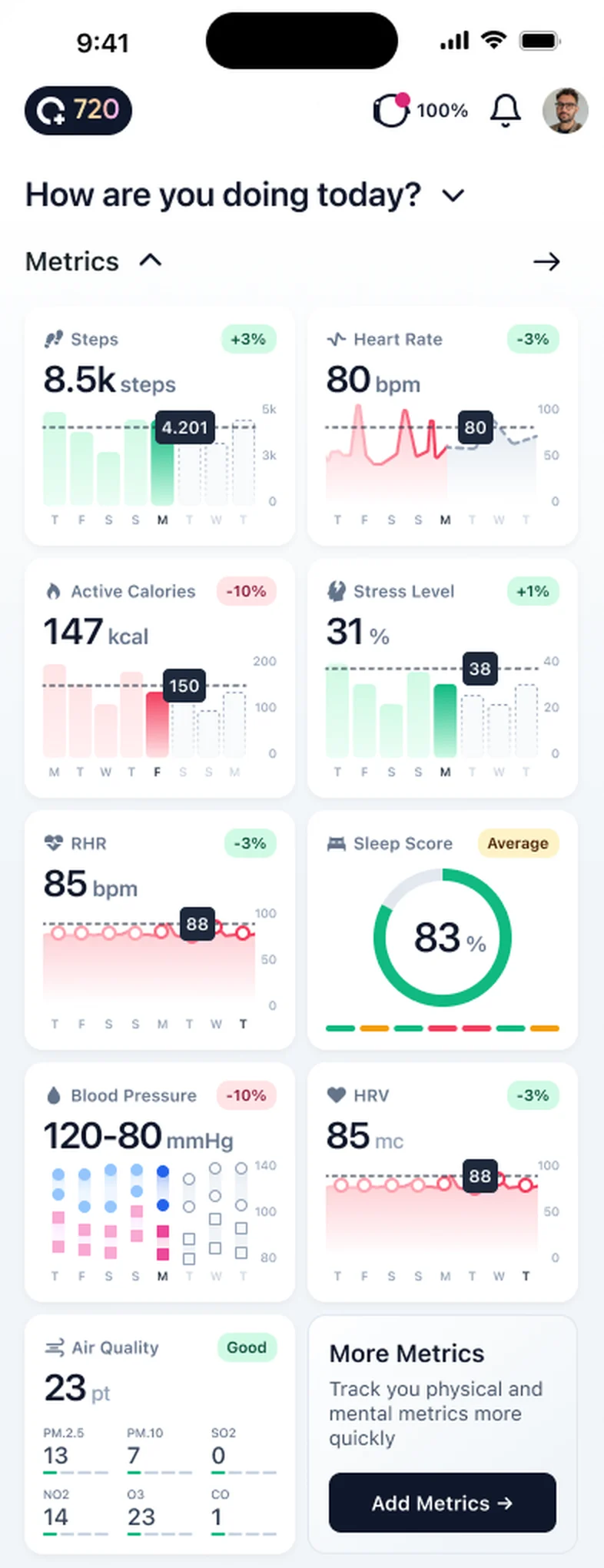
Every feature is open. Then pick monthly or yearly.
$16.99per month · cancel anytime
$149.99per year · about $12.50 a month
ONU is a preventive health app for iPhone that pulls your sleep, recovery and activity into one calm daily picture. You open it once a day, see what changed, and get one small thing to try.
Try every feature free for 3 days. It works with the ONU Bracelet, Apple Health, WHOOP or Garmin.
ONU reads from the ONU Bracelet, Apple Health, WHOOP and Garmin. An Apple Watch or Oura ring reaches ONU through Apple Health on your iPhone. You choose which data ONU may read.
Check your device ›One number each morning, with the reasons underneath it, so you know what moved.
A small, realistic suggestion based on your own recent pattern, not on averages from other people.
Weekly and monthly views of sleep, recovery and activity, so one bad night stays one bad night.
Here is what using it actually looks like. You wake up, and at some point before or after coffee you open the app. One number is waiting. Say it is a little lower than your usual.
Underneath, ONU tells you why. You slept about as long as normal, but you went to bed an hour late and your resting heart rate ran higher overnight. Nothing dramatic. Then it offers one suggestion for the day, something you could realistically do, like an easier session instead of the hard one you had planned, or starting your wind-down earlier tonight.
That is the whole interaction. Under a minute. There is no feed to scroll and nothing to close. You get on with your day, and tomorrow there is a new number that tells you whether today’s choice helped.
Most health apps give you more data than anyone can use. Twelve tiles, each with its own graph, each moving a little every day. It looks thorough. In practice people stop opening it, because nobody can tell from twelve wobbling lines whether today is a good day or a bad one.
ONU starts from the other end. It asks what you would want to know if you only had ten seconds, and answers that: how are you doing today compared with your own normal? The detail is still there when you want it. It just is not the first thing you see.
The comparison is with you, not with an average. A resting heart rate that is perfectly ordinary for your neighbour might be a real change for you. So ONU learns your usual range first, and measures each day against that.
A single day rarely means much. You slept badly because the neighbours had a party. Your heart rate was up because you had a cold coming. The value shows up over weeks.
The weekly and monthly views are there to answer slower questions. Has my sleep been getting shorter since the new job started? Did cutting the late coffee change anything? Am I actually recovering between training days, or just telling myself I am? Those answers do not fit in a morning number. They sit in the trend, and Pro keeps a longer history of it.
Upload the reports you already have and ONU keeps the originals next to your daily data. When you see your doctor, both are in one place.
Download it from the App Store and start your 3-day free trial.
Pair an ONU Bracelet, or allow Apple Health, WHOOP or Garmin. You choose which categories ONU may read.
Upload the files and ONU keeps the originals alongside your daily data.
The picture gets sharper as the nights add up. How ONU works, step by step
Trends are where the app earns its place, and also where it is easiest to read too much into a line. A few habits help.
One low morning after a late dinner or a long flight is normal. A score that sits below your usual for most of a week is worth a closer look.
Open sleep, recovery and activity in turn. Usually one of them explains most of the change, and that tells you where to start.
A cold, a deadline, a new baby, a move, a change of training plan. Your tracker records the effect. You know the cause.
Try one change for a week or two, then look again. If you change three things at once, you will not know which one helped.
If you switch from one wearable to another, give the new one time. Different devices calculate some numbers differently, so a jump on the day you switched may be the device, not you.
If you feel unwell, that matters more than any line. A steady trend is never a reason to ignore a symptom.
People rarely live in the tidy weeks health apps seem to assume. Here is how ONU fits into a few of the messier ones.
If you sleep in the day after a night shift, your sleep will look different from someone on a nine-to-five, and that is fine. Because ONU compares you with your own baseline, the useful question is how this block of shifts compares with your last one. Watch the weekly view across a rota rather than the score on the morning after a night.
Broken nights are not a problem to solve in the first months, and a lower score is not a judgement. The app is still useful in a quieter way: it shows the nights that went better, which is often when you or your partner took a later feed, and it keeps a record you can look back on when sleep slowly returns.
During a hard block you expect recovery signals to dip. What you are looking for is whether they come back between sessions. If your resting heart rate stays higher than usual and heart rate variability stays lower for several days, the suggestion may be to swap a hard day for an easier one. You and your coach decide.
A long flight and a new time zone usually show up as shorter, later sleep and a higher resting heart rate for a few nights. Expect it. Keep wearing your tracker, and let the trend show you when you are back to your normal rather than guessing.
The app is small on purpose. Here is what each part does, in plain words, so you know where to look for what.
| Part of the app | What it is for | When to look at it |
|---|---|---|
| Your daily ONU Score | One number that tells you how today compares with your own normal, with the reasons that moved it underneath. | Every morning, for under a minute. |
| Your step for today | One small suggestion, such as an easier session or an earlier wind-down, chosen from your recent pattern. | Right after the score, while the day is still open. |
| Sleep | How long you slept, how regular your timing was and how well you slept, night by night and over weeks. | When the score says sleep moved it, or when you change your routine. |
| Recovery | Your heart rate variability and resting heart rate against your usual range. | After hard training, a short night, travel or when you feel run down. |
| Activity | Steps, distance, movement and energy use over the day and the week. | When you want to see whether a busy or quiet week is showing up. |
| Weekly and monthly trends | The slower picture behind all of the above. ONU Pro keeps a longer history. | Once a week or so, and before an appointment. |
| Lab records | The original reports you upload, kept with your daily data. | When a new report arrives, and before you see your doctor. |
| Connected sources | The ONU Bracelet, Apple Health, WHOOP or Garmin, and which data each one may share. | When you set up, change device or want to review what ONU can read. |
A lot of the design work in ONU was deciding what not to show you.
There are no streaks to protect and no badges for closing rings. Those tricks get people to open an app, but they also turn a bad week into a small failure, and a bad week is exactly when you most need a calm look at what is going on.
There are no alerts during the day. If your heart rate rises in a tense meeting, ONU does not tap you on the wrist to tell you so. It will be part of tomorrow’s picture, when you can do something with it.
And there is no pretending to be a doctor. When a pattern looks unusual, the app says so in plain words and suggests you raise it at your next appointment. It does not name a condition, because it cannot know.
Health data is personal, so here is what is in your hands and what ONU does on its side.
You choose the sources. ONU reads only from the sources you connect: the ONU Bracelet, Apple Health, WHOOP or Garmin. On iPhone, Apple Health asks you which categories of data an app may read, so you can share sleep and heart data without sharing everything else.
You choose the lab reports. Only reports you upload are stored. Nothing arrives from a lab on its own.
Your data is encrypted. Health data is encrypted in transit, as it moves between your phone and ONU, and at rest, while it is stored.
Disconnecting is not deleting. Switching off a source stops new data arriving. Deleting what is already stored, or your whole account, is a separate request, explained in the privacy policy linked in the site footer.
Your phone is part of it. Use a passcode and Face ID or Touch ID. The app shows your data to whoever is holding the phone.
The full picture, including how AI features are used, is on how ONU handles your data.
One or two sentences. What changed, when it started and what worries you.
Open the weekly or monthly trend for the weeks around when it started. Note anything that clearly moved, such as shorter sleep or a resting heart rate that stayed higher than usual.
Your uploaded reports are in the app, with their dates. Bring the originals if your doctor asks for them.
The prevention checks and condition questionnaires end with a summary you can take with you.
Wearable numbers are estimates from a consumer device. Say so, and let your doctor decide what to measure properly. Our guide on preparing for a doctor appointment has more.
It is better to know this before you download than after. ONU may not be the right fit if one of these sounds like you.
ONU is built for slow patterns, not for emergencies. It does not watch you in real time and it will not raise an alarm.
Call your local emergency number straight away if you have chest pain or pressure, sudden difficulty breathing, fainting, signs of a stroke such as a drooping face, a weak arm or slurred speech, or anything else that feels seriously wrong. Do not open the app first. See emergency information.
Book an appointment with your doctor if something has felt off for a while, such as tiredness that does not lift with rest, a heartbeat that feels irregular or a symptom that keeps coming back, whatever your score says.
Bring your everyday signals and health information into a clearer picture.