

I missed a night or a few days
Nothing breaks and there is no streak to lose. The score for those days has less to go on, and your trends carry on around the gap. Put your tracker back on and the picture picks up again.
Charge it, hold the button until it blinks and tap Pair. It takes about a minute.
Allow Apple Health once. Steps, heart rate, sleep and workouts come in by themselves.
A few short questions about what matters to you, so your plan starts from your life.
Your health score, heart rate, HRV, stress and sleep, updated through the day.
Add a photo or PDF. ONU flags what is high or low and explains every marker.
ONU AI answers in plain words, using your own sleep, heart and lab results.
Pick conditions like high blood pressure or type 2 diabetes and see each one marked normal, attention or risk.
A few small tasks each day for your heart, sleep and stress. You can add your own.
Don’t understand a result or what to do next? ONU Pro includes a call with a doctor who goes through it with you.
Every task you finish earns ONU Points. Keep your streak and swap points for rewards.
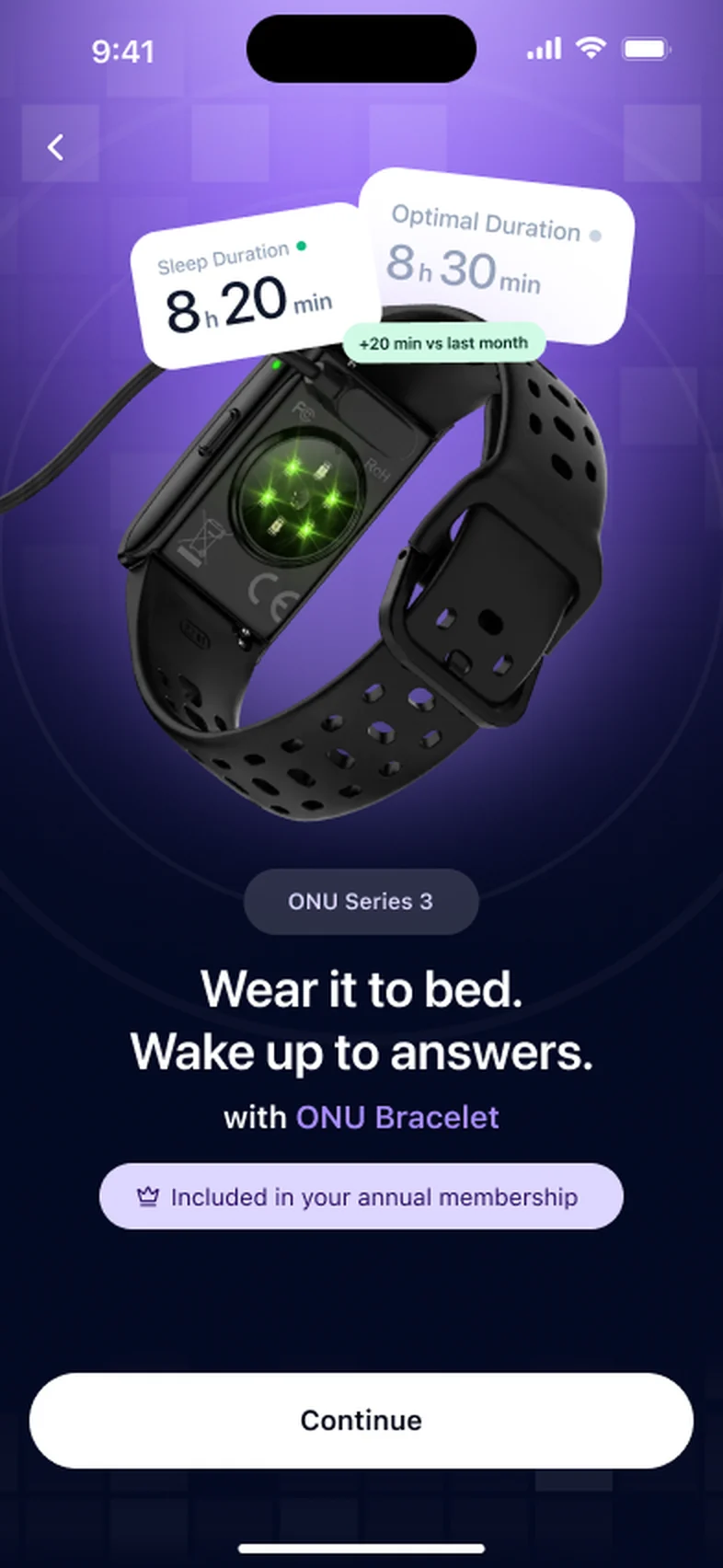
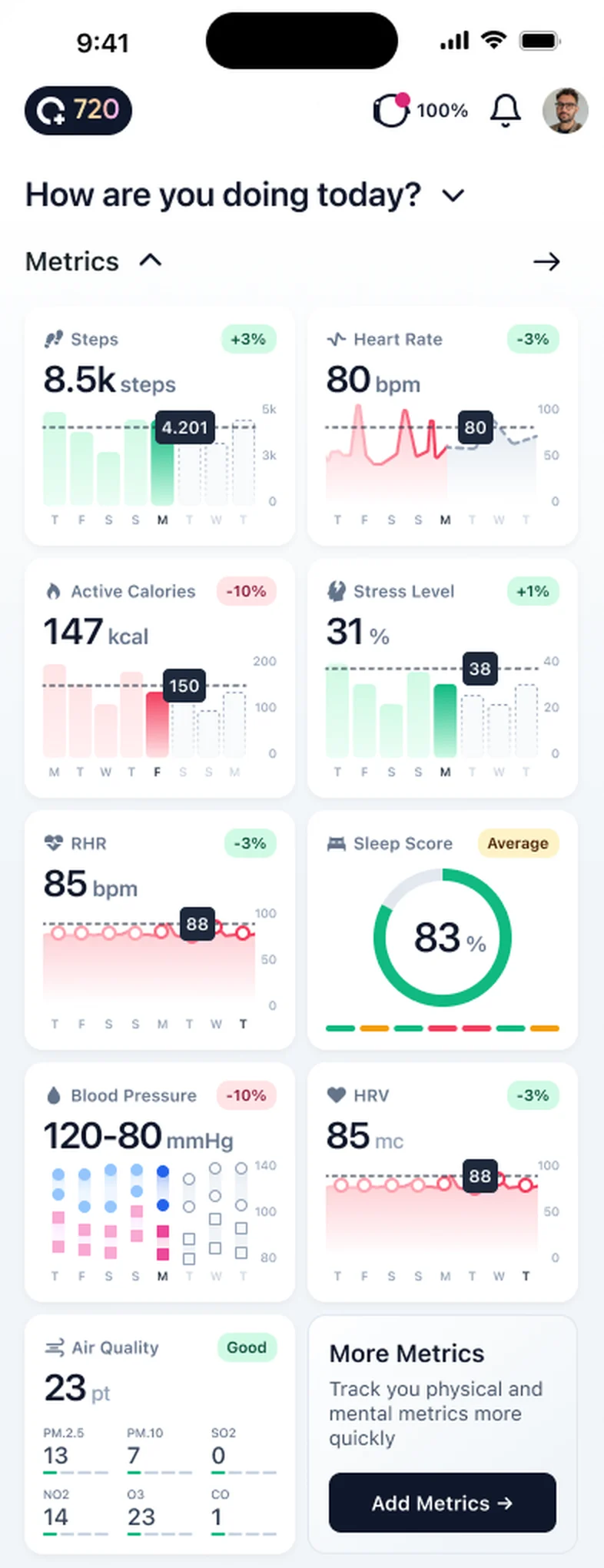
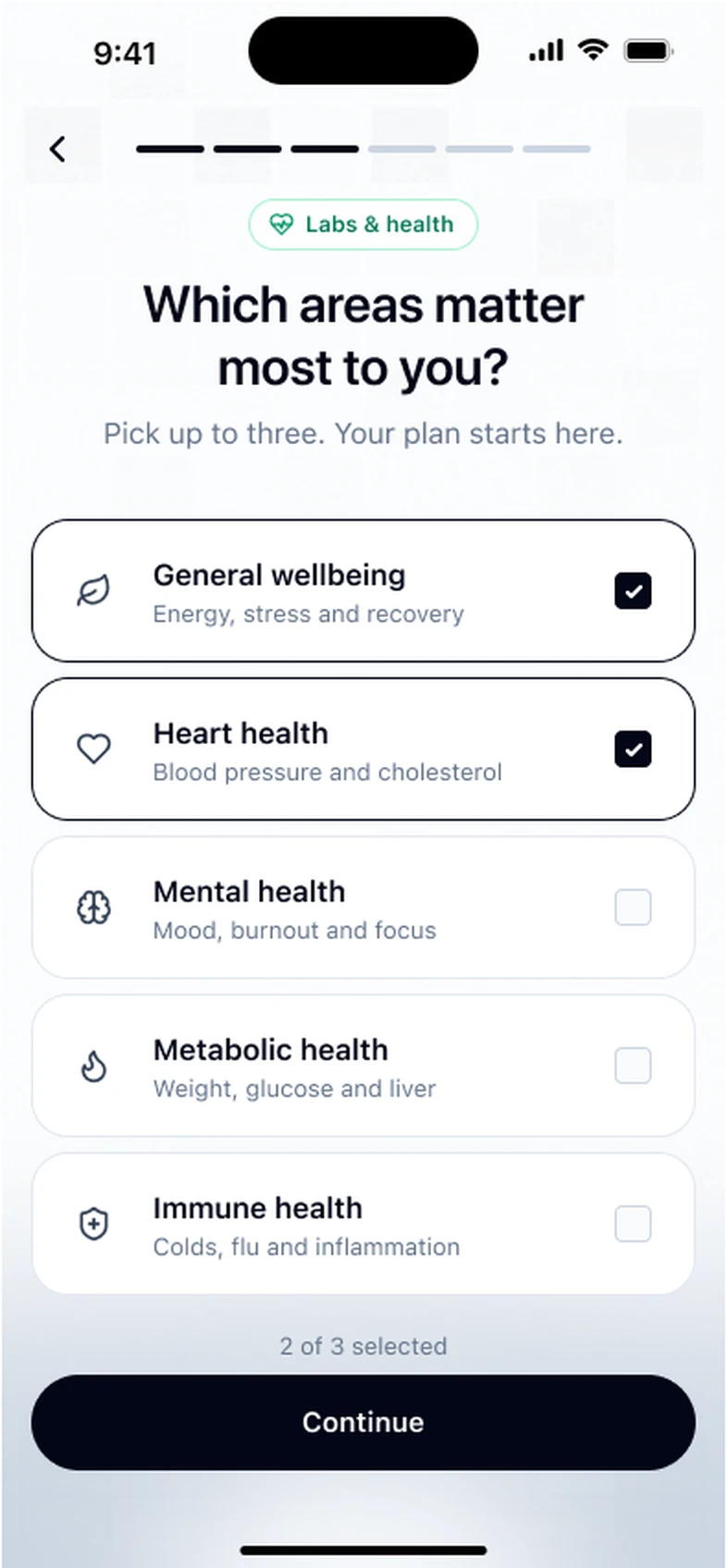
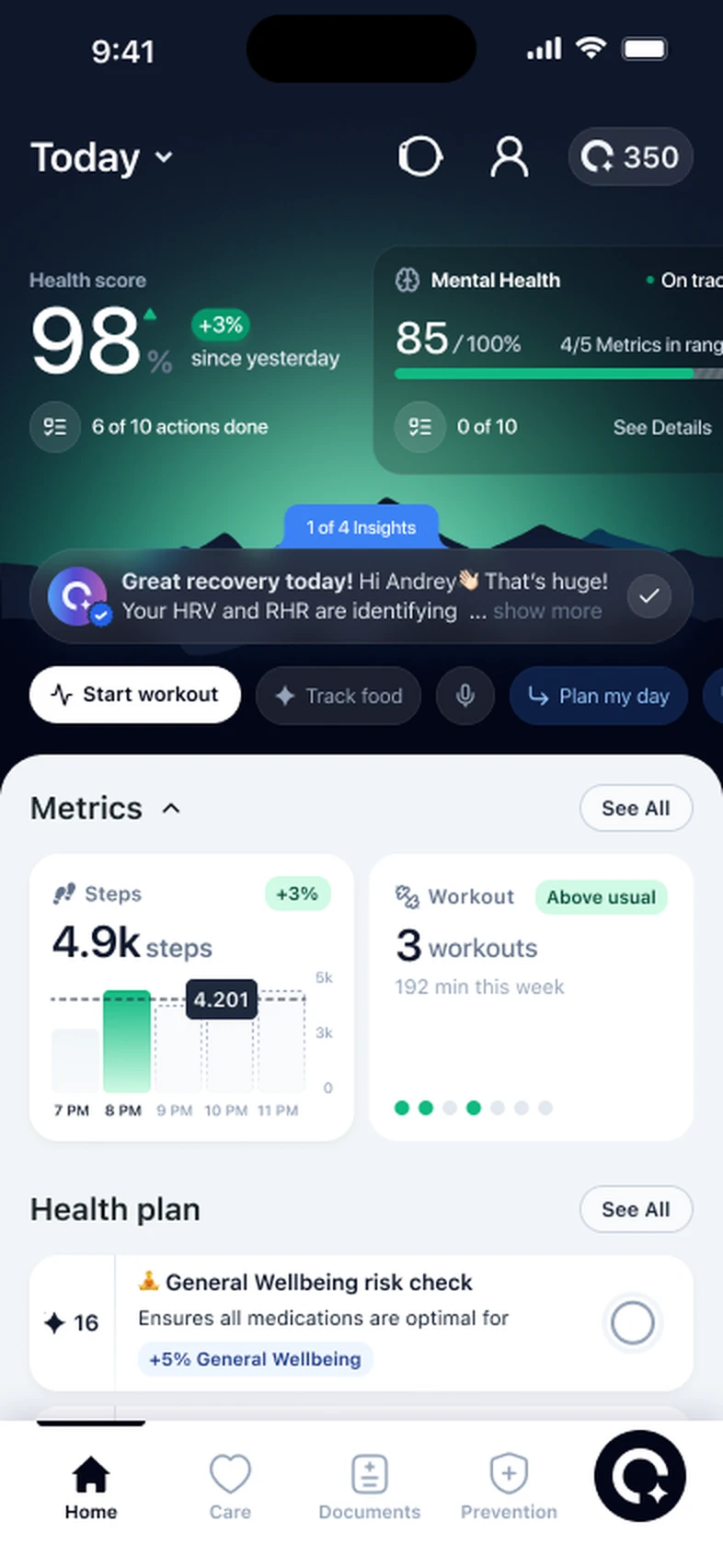
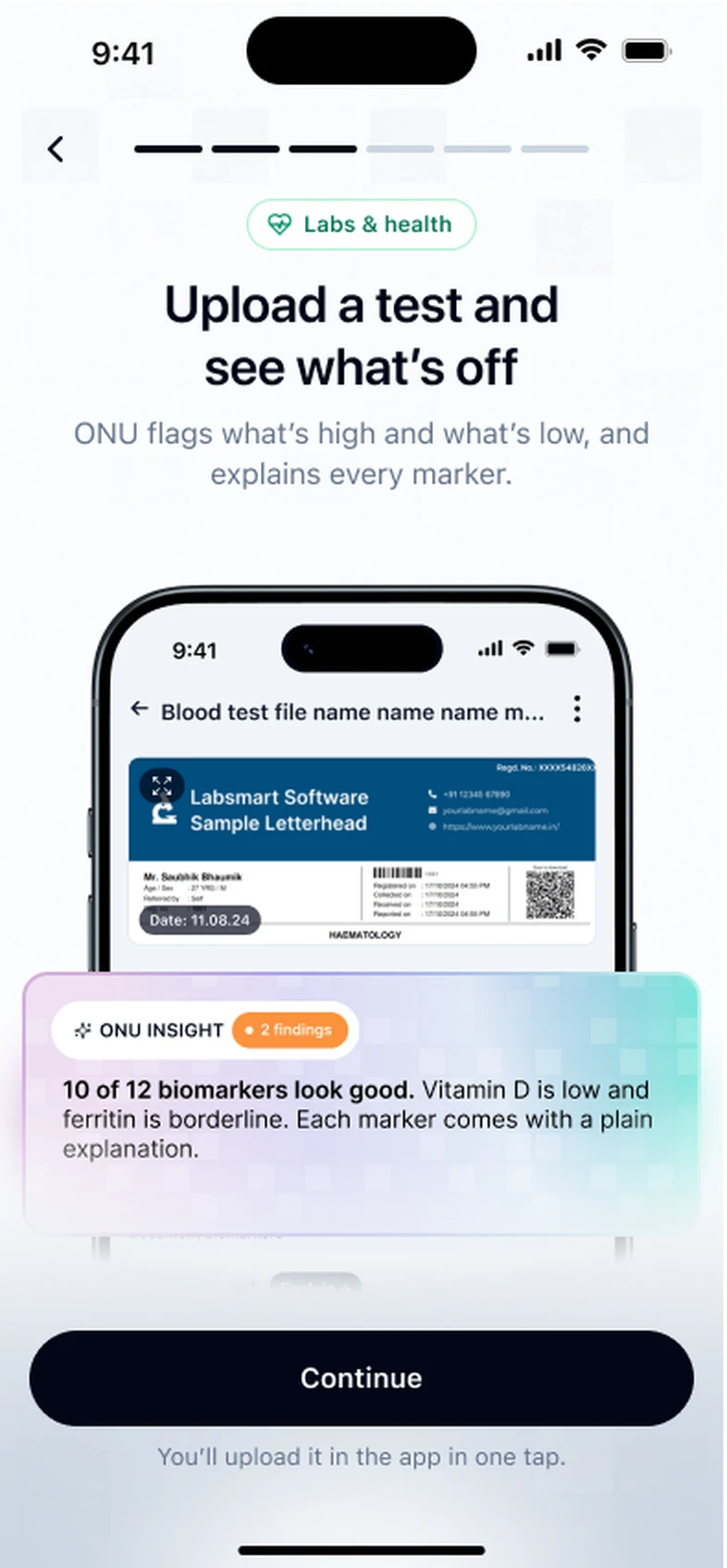
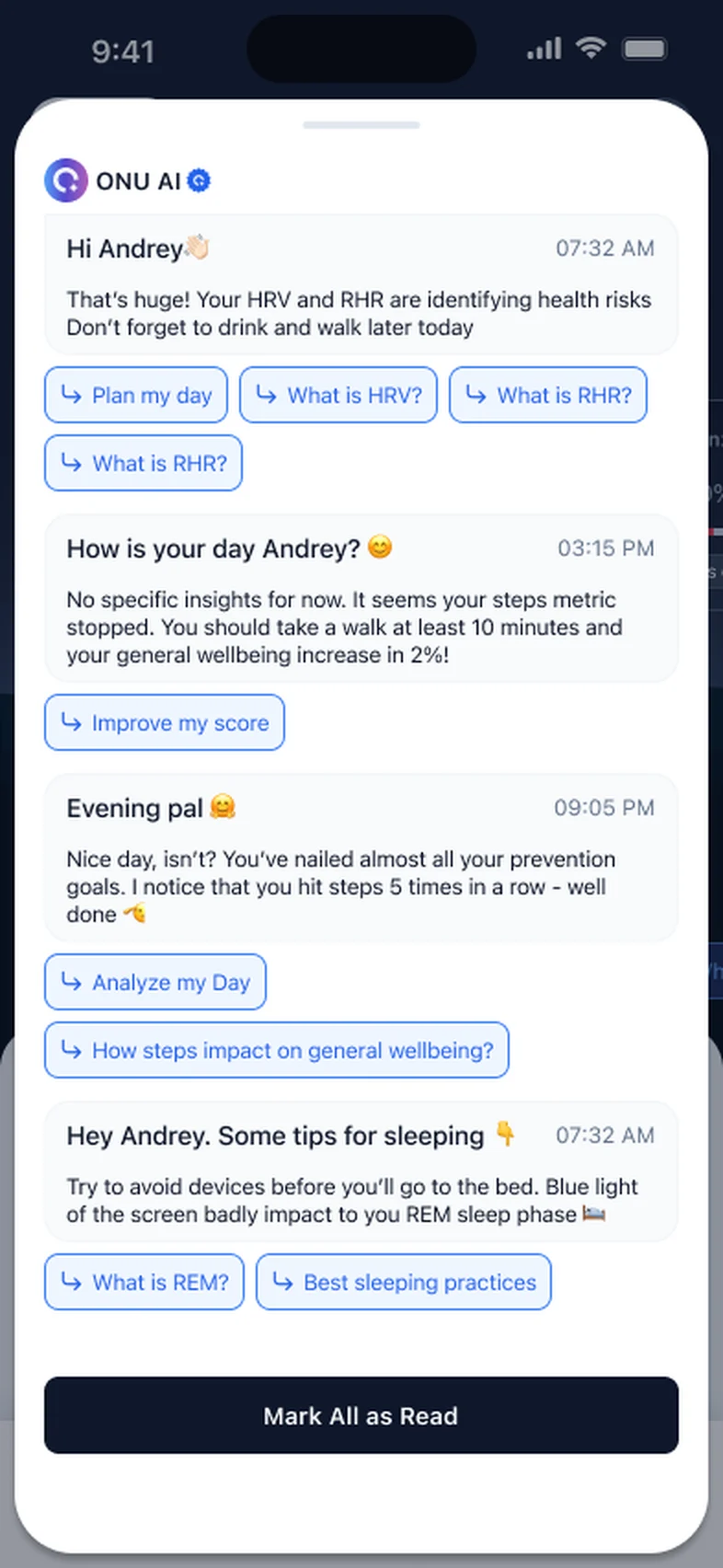
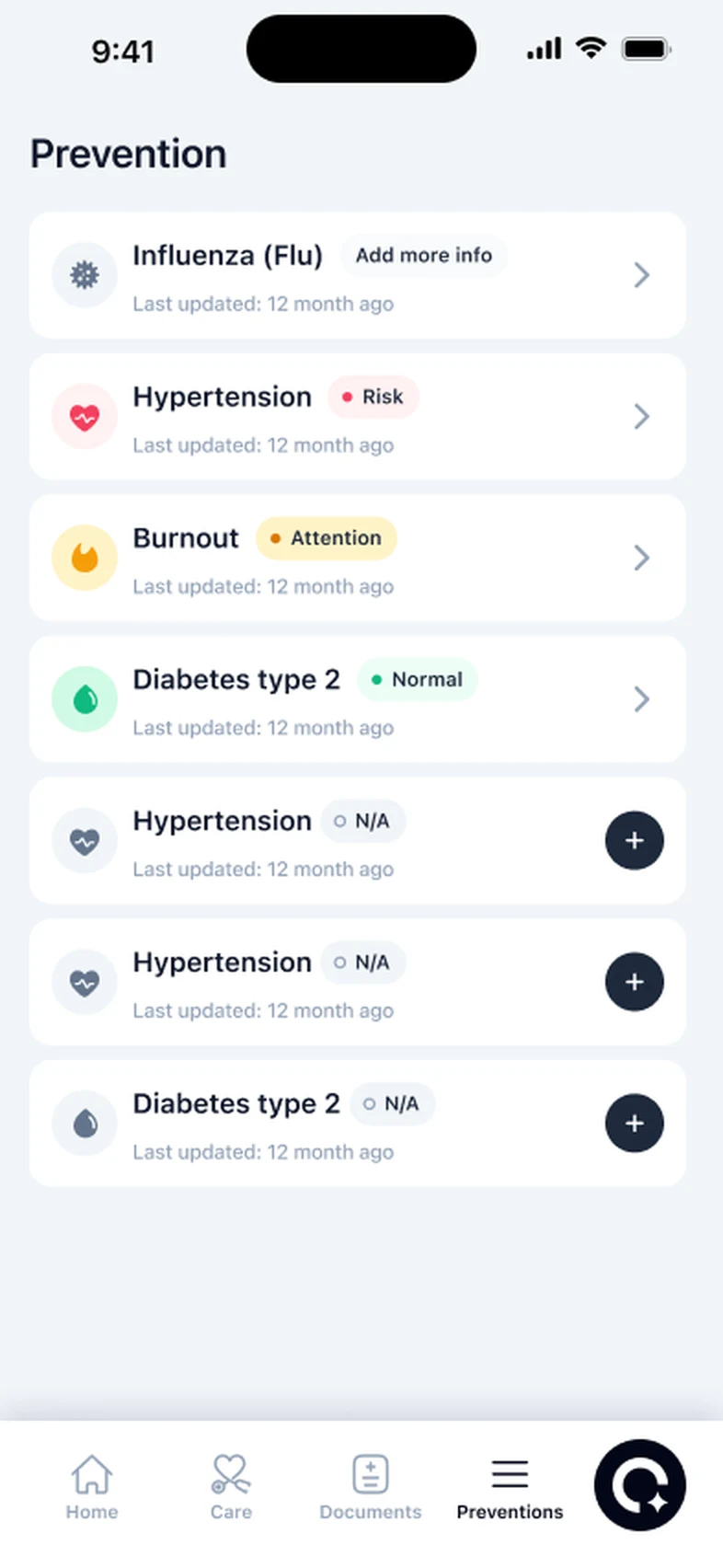
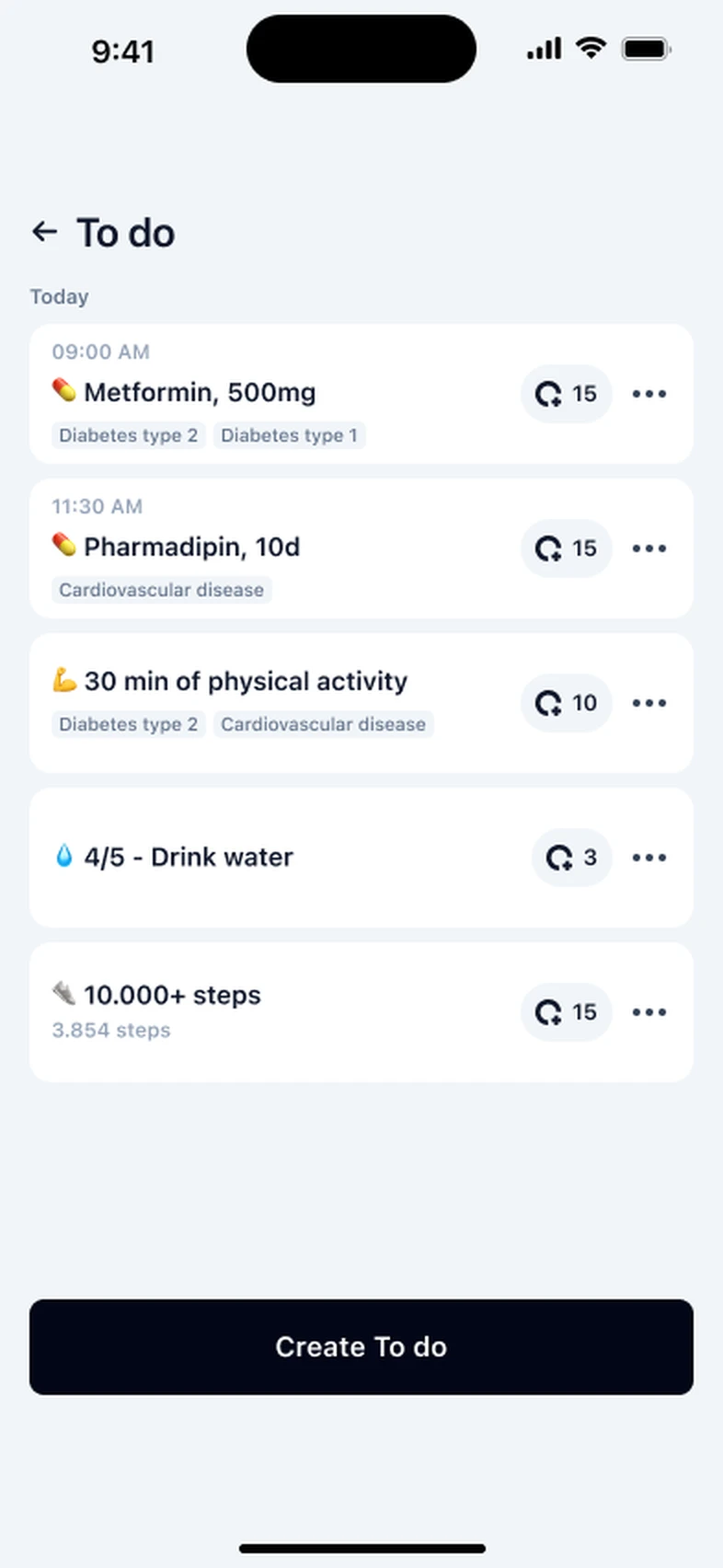
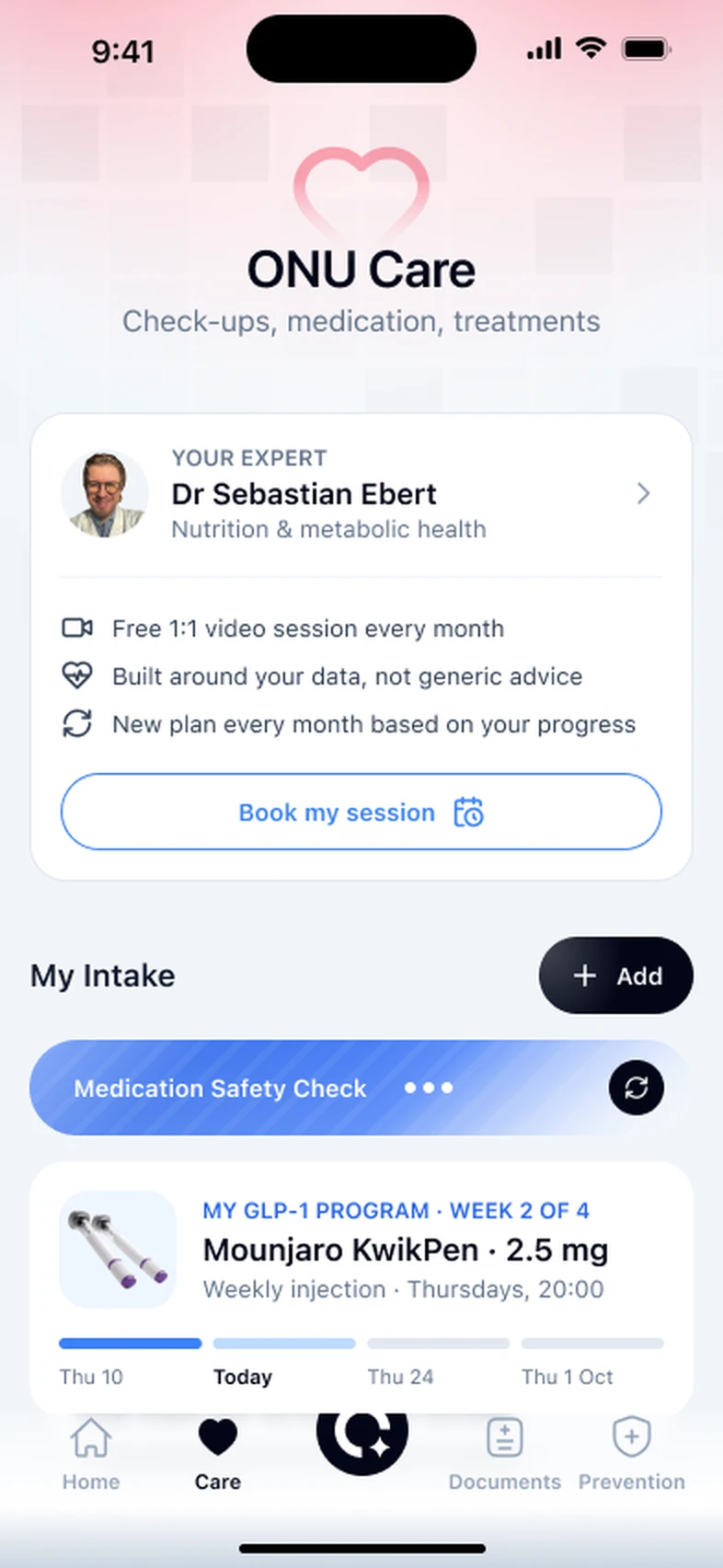
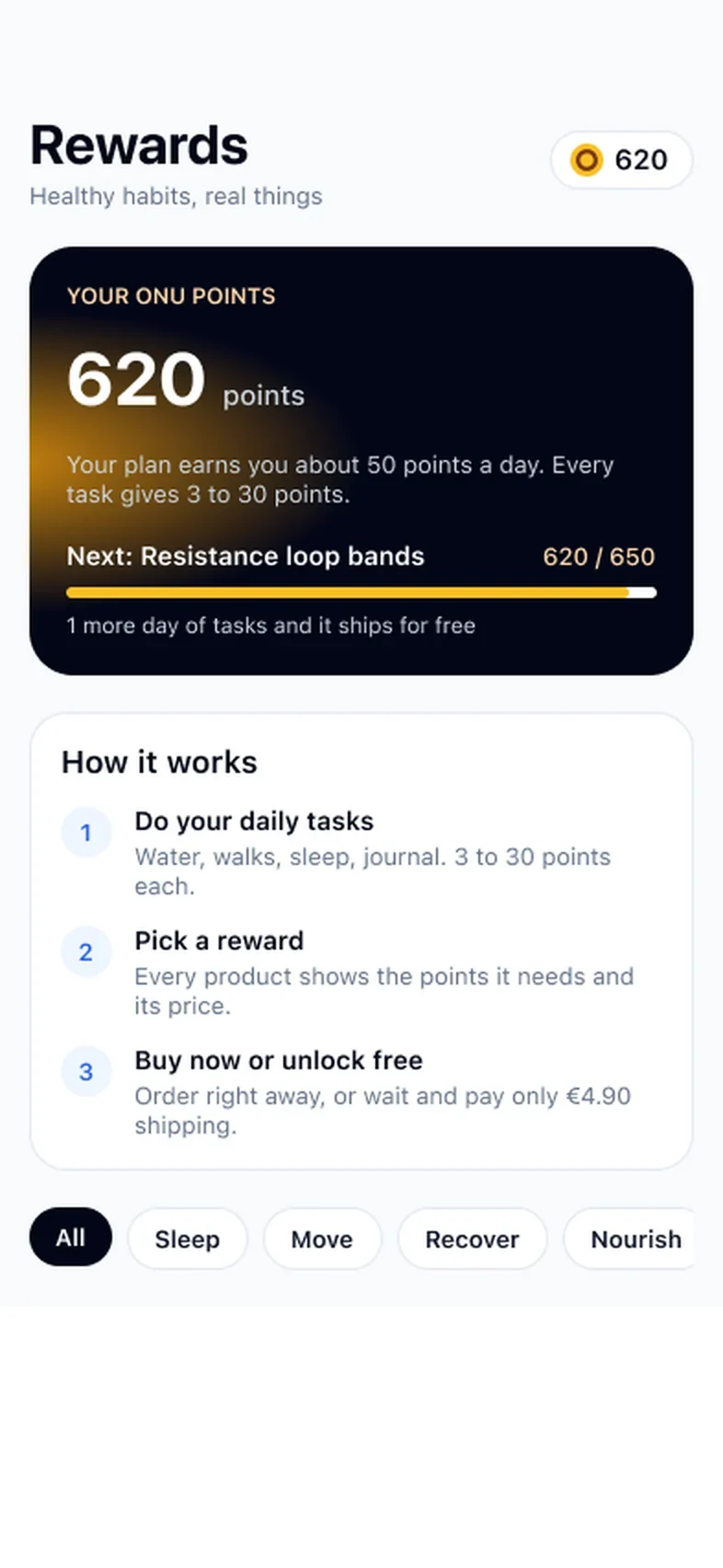
This is how ONU works, start to finish. You connect a source of data, ONU learns what is normal for you, and each morning it gives you one score and one thing to try. That is the whole loop.
Download ONU on your iPhone. Pair the ONU Bracelet, or connect Apple Health, WHOOP or Garmin. You decide which data ONU may read. Supported devices
Wear your tracker day and night for the first stretch. ONU compares you with your own baseline, so the picture sharpens as the nights add up.
One number built from your sleep, your recovery signals and your activity. Underneath, ONU shows what moved it. What the score means
ONU suggests one small change, such as an earlier wind-down or an easier training day. The weekly and monthly views show whether it is helping.
| Area | Signals |
|---|---|
| Sleep | Duration, consistency and quality |
| Recovery | Heart rate variability and resting heart rate |
| Activity | Steps, distance, movement and energy use |
| Lab records | The reports you upload, kept beside your daily data |
Step two, learning your normal, is the part people skip past, and it is the part that makes everything else work.
Bodies differ. One healthy person sleeps six and a half hours and feels fine. Another needs eight. One has a resting heart rate in the fifties, another in the seventies. If an app judged everyone against the same target, half its users would be told something is wrong when nothing is, and the other half would miss a real change because their numbers still looked “normal”.
So ONU watches first. Over your early nights it works out your usual range for sleep, for your recovery signals and for activity. After that, a score is a statement about you: today is in line with your normal, or it is not. That is why the first days feel quiet, and why the app becomes more useful the longer you wear your tracker.
Sleep is the biggest single input into how you feel the next day, and the one a tracker can measure while you do nothing at all. ONU looks at three things.
How long you slept. Not the time you spent in bed, but the time your tracker thinks you were asleep. If you read for an hour first, that hour does not count.
How regular your timing was. Going to bed and getting up at roughly the same times tends to matter as much as the total. A week of normal-length nights that start at 10 pm on Monday and 1 am on Friday will often look worse than you expect.
How well you slept. Restless nights with lots of waking look different from settled ones, even when the total is the same.
What to take from it: a single short night is ordinary. A run of short or irregular nights is the thing worth acting on, and the usual first step is the boring one, a more regular bedtime. Our guide to the sleep score goes deeper, and if you are always tired after eight hours, talk to a doctor.
Your heart does not beat like a metronome. The gap between one beat and the next changes slightly all the time, and heart rate variability, or HRV, is a measure of that variation. It is usually measured while you sleep, when other things are quiet.
HRV is very personal. Two healthy people can have very different numbers, and yours will rise and fall from night to night. That is why ONU compares it only with your own usual range.
In everyday terms, HRV that sits lower than your normal for a few nights often goes with things that put load on your body: a hard training block, short sleep, alcohol, a stressful stretch, or an illness coming on. HRV back in your normal range is one sign you are recovering.
What to take from it: look at the trend, not one night. A low reading after a late party tells you about the party. Several low nights in a row, with nothing obvious to explain them, is a reason to take it easier and see what happens. More in what is a good HRV.
Resting heart rate is how fast your heart beats when you are truly at rest. A tracker usually picks it up overnight, when you are lying still.
Like HRV, the useful number is your own. What matters to ONU is whether yours is higher or lower than it usually is.
A resting heart rate that runs higher than your usual for a night or two often follows a late meal, alcohol, a hot bedroom, a hard workout, travel or a cold starting. It usually settles once the cause passes.
What to take from it: a short rise with an obvious reason is not a worry. A rise that lasts, or that comes with symptoms such as feeling faint, short of breath or a heartbeat that feels irregular, is a reason to see a doctor. Our guide on a resting heart rate that is suddenly higher explains what to look at first.
Activity is the part of the day you are awake for. ONU reads steps, distance, movement and energy use from your source.
Activity cuts both ways. Too little, week after week, is worth noticing. So is a sudden jump, such as the first week of a new training plan, because it can show up in your sleep and recovery a day or two later.
What to take from it: the weekly view is more honest than any single day. A day on the sofa with a cold is fine. A month where you moved much less than your usual is the kind of slow slide ONU is designed to make visible while it is still easy to change.
Your score moves when your sleep, recovery signals or activity move away from your normal. These are the everyday causes people most often recognise. They are common patterns, not rules, and your own may differ.
| What happened | What you might see | A sensible response |
|---|---|---|
| A late night | Shorter sleep, later timing, sometimes a higher resting heart rate | Nothing dramatic. Aim for your usual bedtime tonight. |
| Drinks in the evening | Restless sleep, lower HRV, higher resting heart rate that night | Notice the pattern. It is one of the easiest to test for yourself. |
| A hard workout or race | Lower HRV and higher resting heart rate for a night or two | Expected. Watch whether it comes back before your next hard session. |
| A cold or other illness starting | Recovery signals off for several nights, sometimes before you feel ill | Rest. Look after yourself, and see a doctor if you are worried. |
| A stressful week | Shorter or broken sleep, recovery signals below your usual | Protect sleep first. A short walk can help more than another workout. |
| Travel across time zones | Short, shifted sleep and a higher resting heart rate for a few nights | Keep wearing your tracker and let the trend show when you are back. |
| A settled, regular week | Recovery signals at or above your usual, steady sleep | Note what you did. It is your best evidence of what works for you. |
The daily step is deliberately small. ONU is not going to tell you to change your life on a Wednesday.
If your recovery signals have been low for a couple of days, it might suggest swapping a hard workout for a walk. If your bedtime has been drifting later, it might suggest starting your wind-down half an hour earlier. If you have been sitting more than usual this week, a short walk after lunch.
None of this is medical advice, and none of it is surprising. That is rather the point. Most of us know what helps. What we lack is a timely, specific prompt on the day it would matter, and a way to see afterwards whether it did.
| When | What happens |
|---|---|
| Day one | You connect a source and choose what ONU may read. If you have lab reports, you upload them. |
| The first nights | ONU collects sleep and heart data and starts to learn your usual range. You can see your numbers straight away. |
| After the first stretch | Your daily ONU Score settles, because it now has a baseline to compare with. |
| The following weeks | Weekly views fill in. You start to see which days of the week are hardest on you. |
| After a month | The monthly trend appears. This is where slow changes become visible. |
The exact timing depends on how consistently you wear your tracker, especially at night.
This is an illustration, not a real customer. It shows the kind of week many people have when they start, so you know what to expect.
| Day | What happens | What to make of it |
|---|---|---|
| Monday | You download the app, connect your Garmin through the app and allow sleep, heart and activity data. You upload last spring’s blood test. | Setup is done. Your report now sits with your daily data. |
| Tuesday | Your first morning. You can see last night’s sleep and heart numbers, but the score has little of your history to compare with yet. | Normal. ONU is still learning what your usual looks like. |
| Wednesday | A late work dinner. The next morning shows shorter sleep and a resting heart rate a little above the last two nights. | A clear cause, a small effect. Nothing to act on beyond tonight’s bedtime. |
| Thursday | You forget to put your watch back on after charging it in the evening. There is no sleep data for the night. | Nothing breaks. That day simply has less to go on. |
| Friday | A normal night. The suggestion is a short walk at lunch, because you have sat more than usual this week. | Small and doable. This is what the daily step is meant to feel like. |
| Saturday | A long run in the morning. Sunday shows lower HRV than your recent nights. | Expected after a hard effort. Look again on Monday. |
| Sunday | You open the weekly view for the first time and see that your two latest nights were also your shortest. | The first useful pattern. One change to try next week: an earlier wind-down on weekdays. |
Everyone’s first week looks different. How soon the score settles depends on how consistently you wear your tracker, especially at night.
Both routes end in the same app, so choose by what is already on your wrist.
If you own an Apple Watch, a WHOOP or a Garmin and you wear it to bed, connect it and you are done. An Oura ring or another device can reach ONU if it shares its data with Apple Health on your iPhone.
If you own nothing, or you take your watch off at night to charge it, the ONU Bracelet is built for exactly this job. It has no screen, so there is nothing to light up or buzz while you sleep, and it comes with ONU Pro yearly at $149.99.
Lab reports run on a different clock from your daily data. A blood test happens once or twice a year. Sleep happens every night. ONU keeps both in one place so neither gets lost.
When you upload a report, ONU stores the original next to your daily trends. That makes an appointment easier: you can show your doctor the result and the weeks of sleep and heart data around it.
Always check numbers against the original report, because any software that reads a document can misread a decimal point or a unit. What a result means for you is a question for your doctor. ONU does not sell lab tests; it keeps the ones you already have. Our guide on blood test results explains the common terms.
Every part of the loop is in ONU Pro: the daily ONU Score, sleep, recovery and activity insights, lab report storage, deeper biomarker insights and longer trends. New users get all of it free for 3 days.
After the trial, ONU Pro costs $16.99 a month, or $149.99 a year with one ONU Bracelet included. See prices.
Half of what ONU looks at is measured while you sleep, so the night matters most. A few habits make the picture much clearer.
Most problems come down to one of a few things. Start here before you contact support.
Nothing breaks and there is no streak to lose. The score for those days has less to go on, and your trends carry on around the gap. Put your tracker back on and the picture picks up again.
First check that the data exists in the source app, such as Apple Health, WHOOP or Garmin. Then check that ONU is allowed to read that category. On iPhone, Apple Health permissions are in the Health app’s settings for each app. A device that was not worn overnight cannot supply sleep data.
Keep wearing your tracker. Shorter, shifted sleep and a higher resting heart rate for a few nights are normal after a long flight. Read the trend when you are home rather than worrying about each morning away.
Expect your recovery signals and sleep to look off, sometimes for a while after you feel better. Rest and ignore the score. If you are worried about how you feel, see a doctor; an app is the wrong place to look for reassurance.
Different devices and apps calculate some numbers differently, so a jump on the day you switched may come from the device, not your body. Give the new source time to build up a fresh picture before you read much into the trend.
Open sleep, recovery and activity to see what moved it. Sometimes the cause is real but forgotten, such as a late coffee. Sometimes it is the tracker, such as a loose fit overnight. If how you feel and the score disagree, how you feel comes first.
It helps to know the path your data takes, because you control most of it.
It starts on your tracker, the ONU Bracelet or a device whose data is in Apple Health, WHOOP or Garmin. You decide which of those sources ONU may read, and on iPhone Apple Health asks you category by category, so you can share sleep and heart data and nothing else.
From there it travels to ONU encrypted, and it is stored encrypted. ONU builds your score and trends from it, and shows them back to you in the app. Lab reports follow the same rule: only the ones you upload are stored.
Switching off a source stops new data arriving. Deleting what is already stored is a separate request, explained in the privacy policy. More on how ONU handles your data.
It helps to be clear about the limits before you start, because they shape how you should use it.
ONU does not watch you in real time. It is not an alarm. If you feel unwell, how you feel matters more than any number in an app, and a good score is never a reason to ignore a symptom.
It does not diagnose. A lower score tells you that your sleep, recovery or activity moved away from your usual. It cannot tell you whether the cause is a late night, a virus or something that needs a doctor. That judgement belongs to you and, when in doubt, to a professional.
And it does not reward you for wearing it. There are no streaks. Miss a few days and the app simply picks up where it left off.
ONU is designed to make slow changes visible. Some of them are worth taking to a doctor. As a rule of thumb, book an appointment if a change lasts and you cannot explain it, or if it comes with symptoms.
Examples: a resting heart rate that stays higher than your usual for weeks without an obvious reason; tiredness that does not improve with more sleep; someone telling you that you snore loudly or stop breathing in your sleep; a heartbeat that feels irregular, racing or pounding. Bring your trends and your lab reports along. The free health checks and prevention checks give you a summary to bring along.
Call your local emergency number straight away for chest pain or pressure, sudden breathlessness, fainting, or signs of a stroke such as a drooping face, arm weakness or slurred speech. Do not wait to see what the app says. See emergency information.
Bring your everyday signals and health information into a clearer picture.